DynamoDB Integration
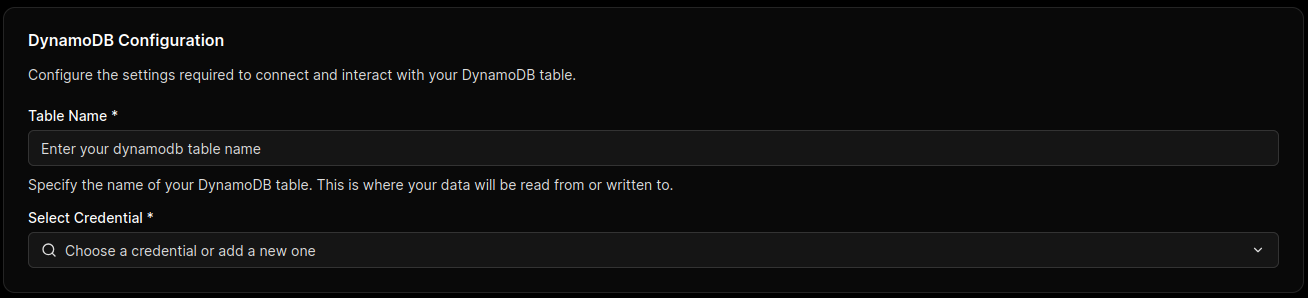
To connect MCP Express to Amazon DynamoDB, configure authentication, target table scope, and execution defaults before tool provisioning. This handshake verifies access and prepares metadata required for reliable request orchestration.
Connection Parameters
Configure the following fields using a dedicated IAM principal with only required DynamoDB actions and table scope.
| Parameter | Technical Description | Required |
|---|---|---|
| Table Name | Primary DynamoDB table bound to this integration instance. | Yes |
| AWS Access Key ID | Access key identifier when static IAM credentials are used. | Conditional |
| AWS Secret Access Key | Secret key paired with the access key ID for signed requests. | Conditional |
| AWS Region | AWS Region where the target DynamoDB table is hosted. | Yes |
IAM Scope Requirements
Grant only dynamodb:GetItem and dynamodb:PutItem on approved tables unless broader operations are explicitly required. Avoid wildcard permissions on table resources and actions.
Prefer Role-Based Authentication
When running in cloud environments, use role-based credentials and secret managers instead of long-lived static keys.
Handshake & Capability Discovery
After connection is submitted, MCP Express executes a validation and preparation flow:
- Credential Validation: Verifies AWS signing and confirms the principal can reach DynamoDB APIs in the selected region.
- Table Access Check: Validates configured table scope and operation permissions for the integration principal.
- Tool Schema Preparation: Initializes request/response mappings used by generated MCP tools for LLM execution.