Configuration
Once the DynamoDB connection is validated, configuration defines how MCP Express exposes DynamoDB operations as callable tools. For this integration, the model is action-based and focused on deterministic Get Item and Put Item execution paths.
Tool Orchestration
MCP Express maps DynamoDB operations into tool contracts with explicit runtime inputs and validation rules. You choose an operation (get or put) and configure only the parameters required for that action.
Action Configuration
Use Action Configuration for standard DynamoDB tools created directly from integration fields.
How It Works
- Select Operation: Choose
getorputfor the tool. - Define Table Scope: Bind the tool to the DynamoDB table configured during integration setup.
- Configure Action Inputs: Apply required fields for the selected operation.
- Validate Execution: Test with representative runtime values before enabling the tool.
Supported Actions
- Get Item: Retrieve a specific item by primary key.
- Put Item: Store a complete item payload for create or replace workflows.
Action Details
This section describes the required configuration for each supported action and how runtime values are resolved.
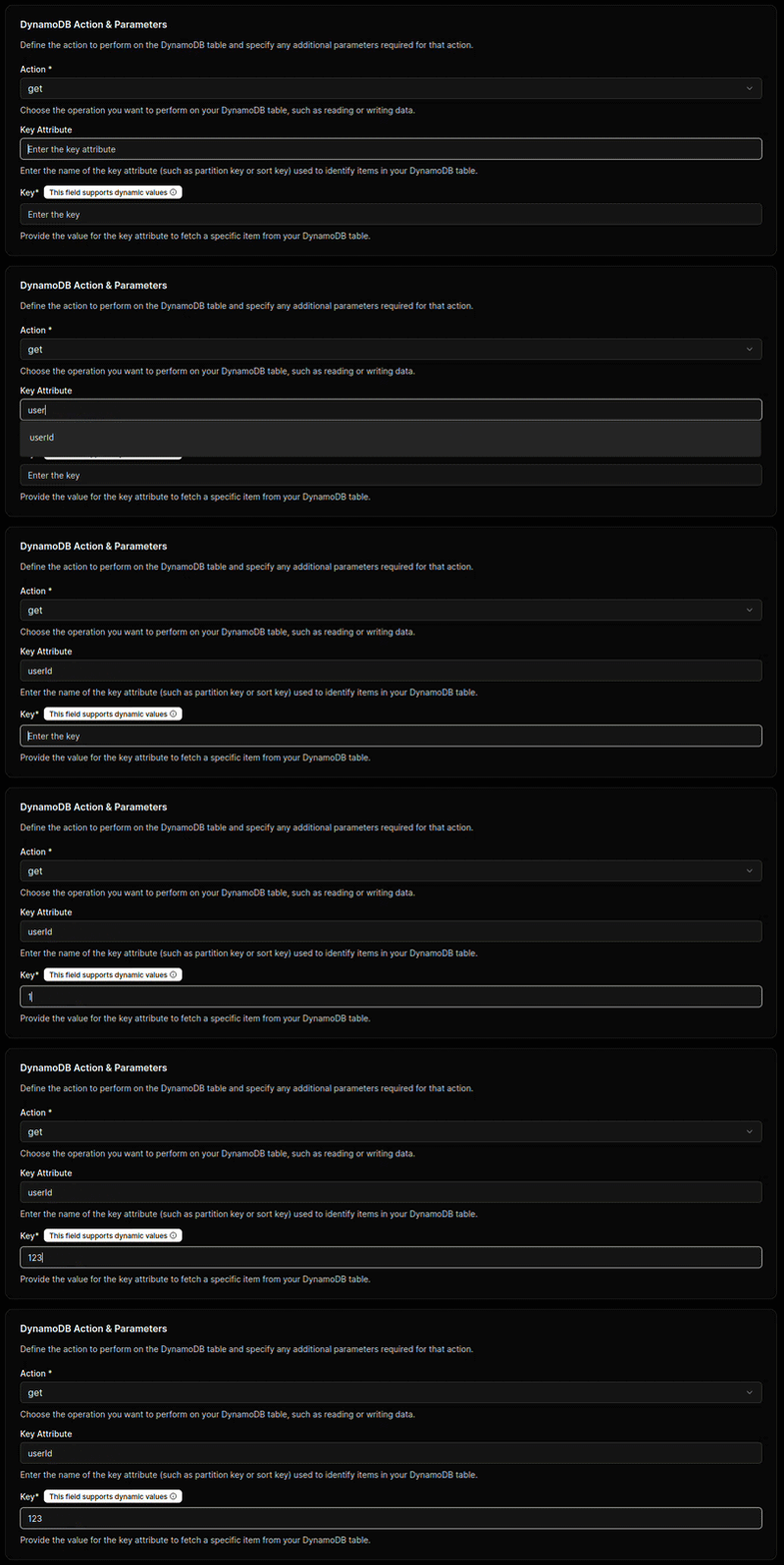
Get Item Parameters
Use this action when the tool must retrieve one item by key.
| Parameter | Required | Description | Supports Templates |
|---|---|---|---|
| Key Attribute | Yes | The attribute name used as the table primary key. | No |
| Key | Yes | The key value used to locate the item. | Yes ({{ }} syntax) |
Example behavior
- If
Key AttributeisidandKeyis{{userId}}, the integration resolvesuserIdat runtime and retrieves the matching item. - If
Keyis fixed (for example,abc-123-xyz), the tool always fetches that record.
Put Item Parameters
Use this action when the tool must write the full input item to DynamoDB.

- No extra action configuration fields are required.
- The tool writes the full item payload it receives at runtime.
- This is suitable for create or replace workflows where the caller provides a complete object.
Governance Controls
Use strict input validation to enforce primary key requirements and expected attribute types. Combine tool-level validation with IAM table-level permissions to keep reads and writes scoped to approved tables.
Use the built-in testing utility to verify key resolution ({{ }} substitution), required attribute presence, and permission behavior for both get paths before production rollout.