Configuration
Configuration maps CloudWatch query behavior into callable MCP tools so runtime prompts produce validated, bounded log operations. In this step, you configure only the Logs Insights Query field; Region, credentials, Log Group, Start Time, and End Time are defined in the Integration setup.
Tool Orchestration
CloudWatch uses a single action-oriented setup where one tool executes a Logs Insights query within the connection scope already set in Integration.
Configuration Setup
Define the execution template for Query so MCP Express can safely resolve runtime inputs.
How It Works
- Set a fixed query or use
{{ }}template variables insideQuery. - Bind query template variables to the tool input schema (for example,
keyword,limit). - Validate query behavior with representative runtime payloads before enabling the tool.
- Confirm result size and execution time stay within operational limits for the Integration-level Log Group and time window.
Supported Actions
- Execute Logs Insights Query: Runs the configured CloudWatch Logs Insights query against the resolved log group and time range.
Query Modes
Use one of the following query modes in the Query field.
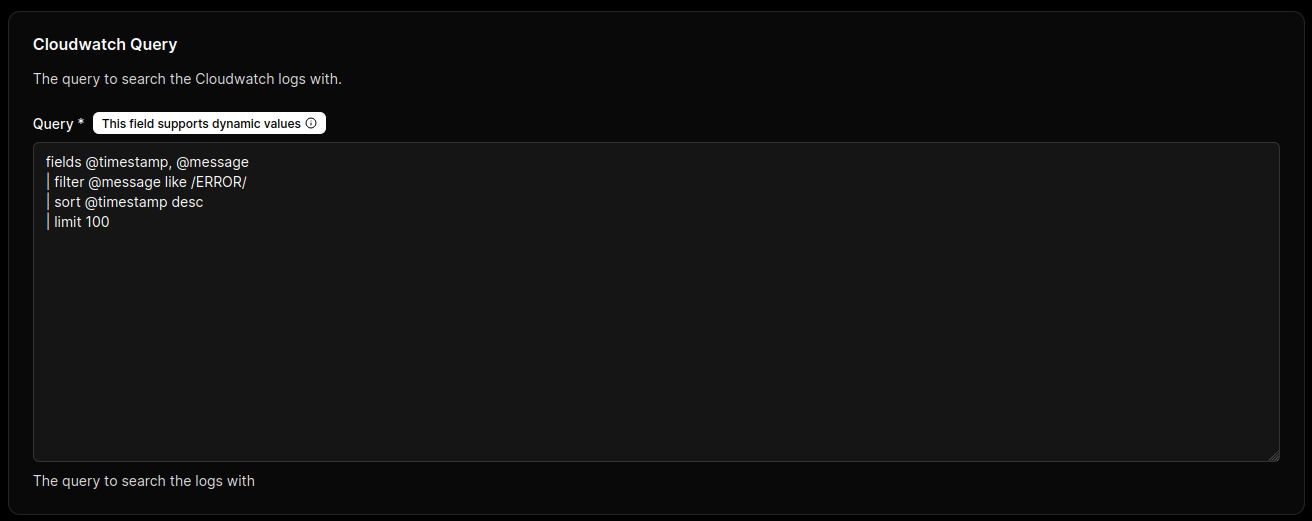
Static Query
Use a fixed query when the same diagnostic always runs with identical logic.
fields @timestamp, @message
| filter @message like /ERROR/
| sort @timestamp desc
| limit 100
Templated Query
Use {{ }} placeholders when the tool should accept runtime values from the input schema.
fields @timestamp, @message
| filter @message like /{{keyword}}/
| sort @timestamp desc
| limit {{limit}}
Example configuration object:
{
  "Query": "fields @timestamp, @message | filter @message like /{{keyword}}/ | sort @timestamp desc | limit {{limit}}"
}
Unbounded {{ }} inputs can generate expensive query paths (for example, very high limit values, broad filter patterns, or weakly constrained time windows). This can increase scanned log volume, response latency, and CloudWatch cost.
{{ }} Safe for Production UseTemplated queries are appropriate when connector safeguards are enforced: variable validation, allowlisted patterns, bounded limit, fixed or constrained log groups, and strict Start Time/End Time ranges. With these controls, runtime flexibility is preserved while cost and scope remain predictable.
CloudWatch Logs Insights Query Syntax
Use the official AWS documentation as the source of truth when composing or validating query statements:
- CloudWatch Logs Insights Query Syntax - Complete reference for query commands, functions, and operators
- Sample Queries - Real-world query examples for common scenarios
- Analyze Log Data with Logs Insights - Guide to using Logs Insights for log analysis, including query composition and best practices
Common Query Commands
fields: Select fields to include in output.filter: Apply conditions to reduce result scope.sort: Order results by one or more fields.limit: Restrict returned row count.stats: Compute aggregates over filtered records.parse: Extract structured values from log text.
Common Query Functions
like: Pattern match with wildcard behavior.=~and!~: Regular expression include/exclude matching.avg(),sum(),min(),max(),count(): Aggregate functions for statistics.earliest(),latest(): Time-oriented aggregation helpers.
Governance Controls
- Restrict query template variables to approved patterns (for example, whitelisted filter terms and bounded
limitvalues). - Require explicit
limitusage to prevent excessive result sets. - Keep Log Group and time-range scope fixed at Integration level, and allow only query-level variation at configuration time.
Test static and templated query paths with known payloads to verify variable substitution, timeout behavior, and predictable result size.