Configuration
Once your database is connected, the Configuration layer defines how the LLM interfaces with your data. This is where you transform raw database tables into functional Tools that an AI assistant can invoke.
Tool Orchestration
The MCP server abstracts complex SQL operations into simple tool definitions. You have two primary methods for defining these interfaces: the Guided Query Editor and the Custom SQL Editor.
Guided Query Editor (No-Code)
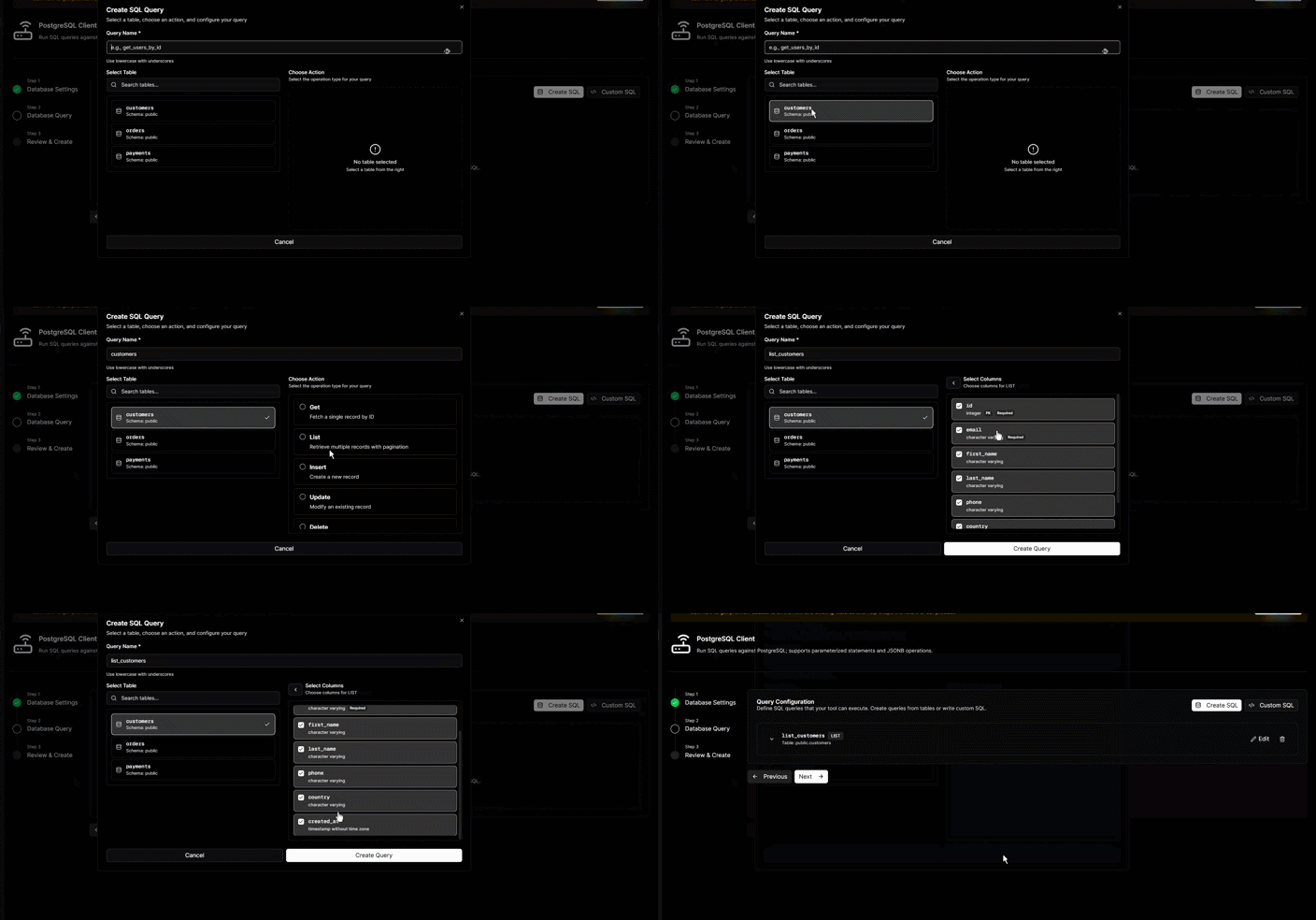
The Guided Editor is the most frictionless way to expose database actions. After the initial schema discovery, the editor loads your available tables and allows you to provision specific actions without writing a single line of SQL.
How It Works
- Select Tables: Choose from the list of synced tables discovered during the handshake.
- Pre-defined Actions: Select from common query patterns like List Entries, Get Single Entry, or Update Record.
- Column Selection: Specify exactly which columns to include or exclude from the LLM’s view.
- Zero Manual SQL: The system automatically generates the underlying SQL and JSON-RPC schema.
Supported Actions
- List Entries: Retrieve multiple rows based on filtered criteria.
- Get Single Entry: Fetch a specific record via a unique identifier.
- Mutation Operations: Enable Insert, Update, or Delete capabilities for specific tables.
Data Redaction
For "Get" and "List" operations, you can explicitly define which columns are exposed to the LLM. This ensures sensitive fields (e.g., password_hash) are never transmitted in the Model Context Protocol lifecycle.
Custom SQL Editor (Advanced)
The Custom SQL Editor allows you to define precise tool behavior for complex use cases involving JOINs or aggregations. When using this editor, you have two primary options for how to define your queries.
Fixed SQL Statements
Use this to create specialized, immutable tools. A Fixed SQL statement executes the exact same query every time it is called. This is ideal for summary reports or "Latest Status" checks where no external input is required from the LLM. Example:
SELECT * FROM orders WHERE status = 'pending' LIMIT 50;
Dynamic Query Templating
The editor supports Handlebars-style placeholders ({{argument_name}}). This enables the LLM to pass runtime parameters into a static SQL structure, ensuring the query remains secure and scoped to specific business rules.
SELECT order_id, product, amount, created_at
FROM orders
WHERE user_id = {{user_id}}
AND status = 'released'
ORDER BY created_at DESC
You can validate your tool definitions instantly using the built-in Testing Tool. This allows you to verify that the LLM receives the expected JSON-RPC response before deploying the server.